In-Browser Interactivity via XR Widget
Explore how to use the XR widget for in-browser interactivity by sideloading APKs and executing ADB commands on Meta Quest devices. Understand how to enable developer mode, connect your device, and run VR applications from your browser or local terminal, ensuring smooth VR development and testing.
Overview of ADB and WebADB
There are instances where we need our PC to interact with an external Android device. This can include installing an application directly from the local machine to our Android devices. Android Debug Bridge (ADB) is a command line tool that facilitates communication between Android phones and computers. This communication can involve file transfers.


In the context of general Android development, ADB enables communication between a PC and Android phones.


However, in the case of WebADB, communication occurs between the PC’s browser and Android devices.
Introduction to the XR widget
It’s common for VR development guides to become confusing when users can’t verify whether they were able to correctly follow the development and configuration instructions. To this end, we’ve introduced an XR widget so we can validate our progress at different checkpoints to see whether our local build is similar to the version offered via the XR widget.
The XR widget is designed to

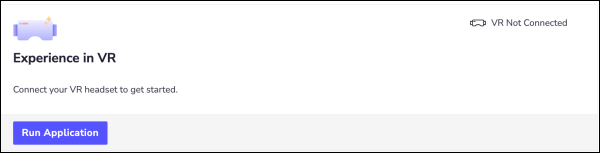
On clicking the “Run Application” button, the user sees the following:

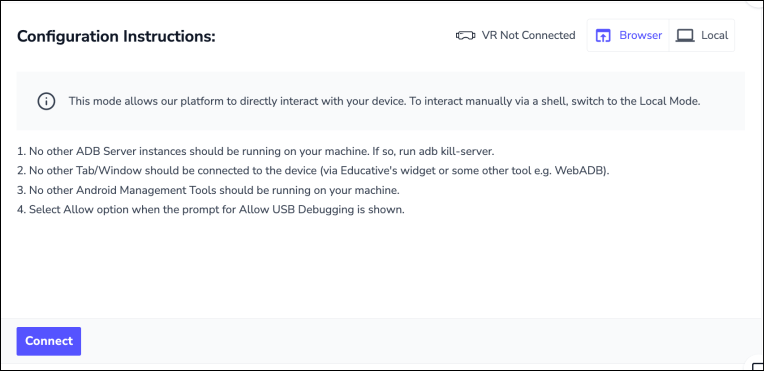
Here’s a guide on how to use the widget. The widget essentially sideloads the APKs that we’ve created from the Educative platform to our Meta Quest devices. It has two modes:
Browser mode, in which we need to configure a few local settings
Local mode, in which we need to copy and paste the command to experience VR
Mode 1: Browser (default)
The browser mode allows the Educative platform to directly interact with the Android device.
Prerequisites
There are a few configurations that need to be done to experience the APK or command.
Make sure that no other ADB server instances are running on our machine. If there is any server running, we must stop the process first. To stop the ADB process from the
platform-toolsdirectory, navigate to the following path: